CRM implementation for remittance apps
Marketing knows who registered. Support knows who complained. Nobody knows whether they are the same person, which is why the reactivation campaign keeps going to a customer who left.
Remittance only · One lifecycle model · Only data you can justify

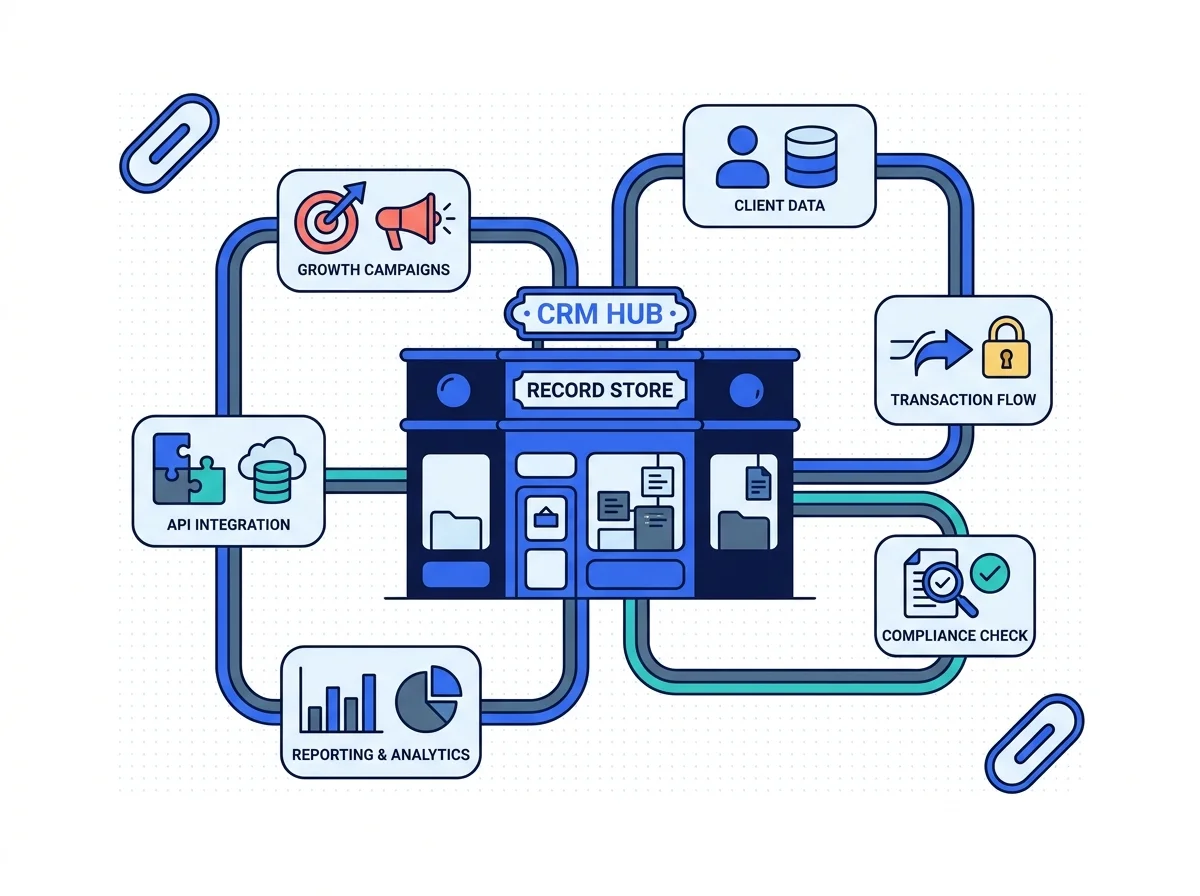
CRM implementation for remittance companies is a data model before it is a tool. Design, implement and integrate a CRM that gives marketing, sales, customer support and lifecycle teams a structured view of customer and partner relationships. Sensitive transaction data should only enter the CRM where there is a justified business, legal and security basis. Everything else follows from that.
What changes in the data
Buying the platform is the easy part. Deciding what actually belongs inside it is the whole job.
Three lists, no truth
Marketing, support and finance each keep their own contact list.
One record per person
The same customer appears once, with every interaction on it.
Everything gets copied in
Full transaction histories sit in a marketing tool for no reason.
Only what earns a place
Lifecycle state and consent go in, the ledger stays where it is.
Campaigns go nowhere
Nobody can say which campaign produced a first transfer.
Campaigns join up
Campaign, lead, lifecycle and outcome sit on one connected line.
Agent leads in a spreadsheet
A payout partner enquiry sits in an inbox until it goes cold.
A pipeline with stages
Lead, qualified, discovery, proposal, review, then won or lost.
What the CRM work covers
Four rows. What actually gets built, the lifecycle stages, and the two rules about the customer data.

What this service actually builds
A CRM is not a mailing list with tabs. Design, implement and integrate a CRM that gives marketing, sales, customer support and lifecycle teams a structured view of customer and partner relationships.
- Marketing, sales and the support
- One structured view of a customer
- Partners kept on the same record
The stages a customer moves through
A CRM that cannot tell a verified customer from an active one is an address book with a logo. Nine stages sort that. Prospect, Registered, Verification started, Verified, First-transfer customer, Active customer
- Prospect right through to dormant
- Verification state is its own stage
- High-frequency senders get marked
What should never go into the CRM
The CRM does not need to know what somebody sent last Tuesday, or to whom. Sensitive transaction data should only enter the CRM where there is a justified business, legal and security basis.
- No transaction ledger copied inside
- A justified basis, or none of it
- Consent recorded for each channel
The other rule, and attribution
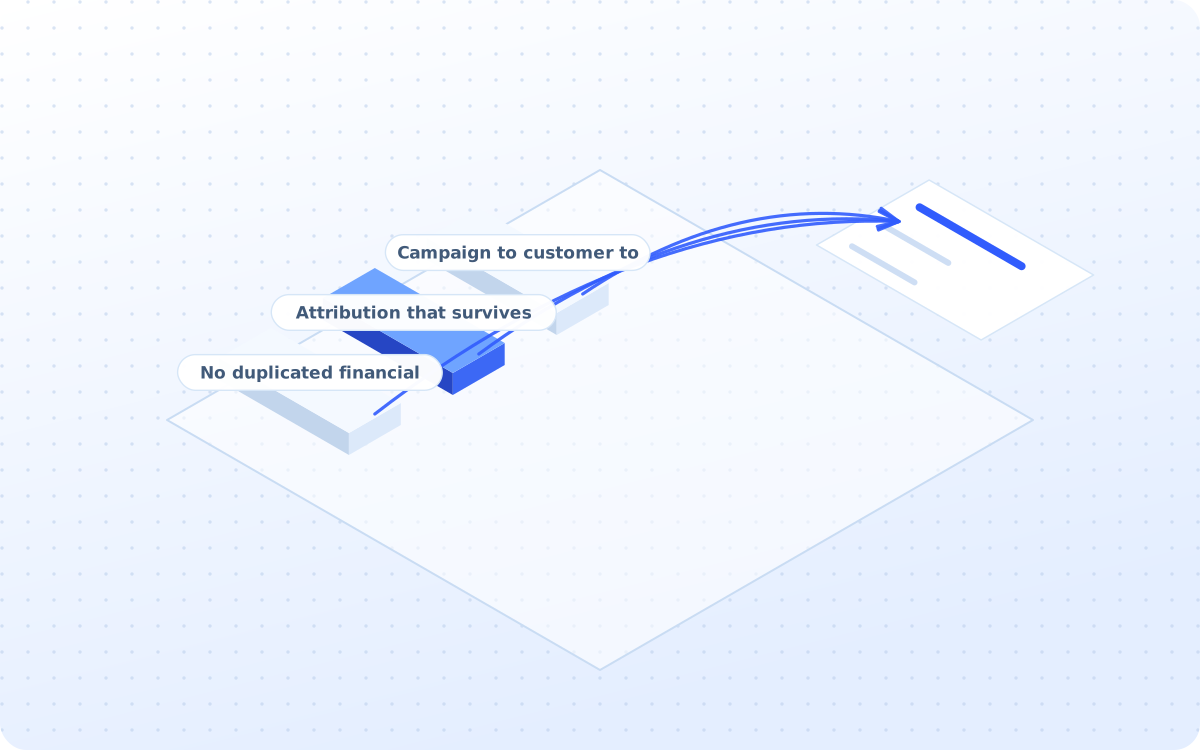
Two more rules apply, and the second one is what makes attribution work at all. Avoid unnecessary replication of sensitive financial records. Campaign → Lead/Customer → Lifecycle → Commercial Outcome
- Campaign to customer to outcome
- Attribution that survives audit
- No duplicated financial records
What you actually receive
Six artefacts, all of them yours to keep. The data model is the one that outlives all of us.
Requirements document
The users, the teams, the customer types, the integrations and the reporting that anybody needs.

Platform recommendation
Which platform suits the size, the model and the integration list, with the reasoning attached.
The CRM data model
Contacts, companies, partners and customers, with the fields that earn their place on each one.
Lifecycle model
Prospect to dormant, with the trigger that moves a customer from one stage to the next one.
B2B pipeline setup
Agent, payroll, payout and API partner opportunities, each moving through the same six named stages.
Dashboards and SOPs
Marketing and sales reporting, plus the written procedures so that the team actually uses it.
How the CRM build runs
Four stages, run in order. The data model gets agreed before any single platform ever gets bought.
Who will actually use it, and for what
Users, teams, customer types, partner types, lifecycle stages, integrations and reporting all get defined before a single platform gets picked.
- 01Users and teams are listed first
- 02Customer and partner types named
- 03Integrations all named up front
- 04Reporting decided before build
- 05Platform chosen last, not first
The record, and what actually sits on it
Contacts, companies, partners, leads and customers get a structure, with only the fields that a team can honestly say it actually needs.
- 01Contacts, companies and partners
- 02Every single field gets justified
- 03Consent and channel preference
- 04Market, language and the corridor
- 05No ledger, and no card numbers
What the CRM ought to be listening to
The website forms, the app registrations, the verification state and the support tickets arrive as events, not as a monthly spreadsheet export.
- 01Website forms land in as leads
- 02App registrations flow through
- 03Verification state, not documents
- 04Support tickets attach to a record
- 05Campaign source sits on every lead
Who is allowed to see what, and when
Ownership, permissions, retention, deletion, consent and the audit trail get set for marketing, sales, support and management, one at a time.
- 01Marketing sees the marketing data
- 02Support sees the support history
- 03Retention periods actually set
- 04Deletion works when it is asked
- 05Every change leaves an audit trail
What the service covers
Twenty two groups of work sit behind the service, and these twelve are the ones you feel.
Requirements work
Users, teams, data, reporting
Platform selection
Fit, integrations and the cost
CRM architecture
Contacts, companies and partners
Lifecycle design
Prospect right through to dormant
B2B pipeline
Agents, payroll, payout, API
Field architecture
Only fields that earn a place
Website integration
Forms, enquiries, signup activity
Platform integration
Verification and first-transfer state
Lifecycle automation
KYC abandoned, verified, dormant
Audience segments
Corridor, stage and the product
The attribution
Campaign to customer to outcome
Data governance
Access, retention, deletion, audit
Three ways to buy this
One of these will fit, whether the CRM is empty, wrong or simply is not there at all yet.
Full CRM implementation
The requirements, the platform, the data model, the integrations and the dashboards, in one project.
- Fixed fee, agreed before we start
- Ten weeks from the scope to live
- Migration and training included
Data architecture only
Just the data model and the fields, when the platform is bought and already half filled in.
- One fixed fee, four weeks total
- The model, and nothing else at all
- Credited if the full build follows
Ongoing CRM operations
The automations, the dashboards and the data quality all checked and corrected at every month end.
- Monthly fee, six months minimum
- Duplicate rate watched monthly
- Data completeness reported too
Comparison. A general CRM partner will install the platform and hand over the keys. CRM implementation for remittance companies starts with which fields belong in it at all.
Position. Most operators have several customer lists and no agreement on which one is the right one.
- Sensitive transaction data stays out unless there is a justified basis for holding it.
Audit line. If none of the three fits, a fixed-fee growth audit will say which one should.
Four steps to a live CRM
Ten weeks to live. The data model gets signed off before anybody logs into anything at all.
Ask the questions
WEEK 1-2Users, teams, customer types, integrations and reporting, written down before shopping starts.
Build the model
WEEK 3-5Contacts, companies, partners and the lifecycle stages, with a field list that survives review.
Connect the rest
WEEK 6-8Website, app, verification state, marketing tools and the helpdesk, wired in one at a time.
Train the team
WEEK 9-10User training, admin training, the SOPs and the governance guidance, so adoption actually happens.
How results get reported
No client figure appears without written permission. These three are facts about how the work is run.
Services that pair with this
The CRM holds the record. These three are the ones that actually put something useful in it.
The inbound phone line, writing every call straight back into the record where it belongs to.
Learn moreAI Outbound CallingThe outbound campaign work that reads the lifecycle stage before it dials anybody at all today.
Learn moreThe upstream repair for the screen that the CRM keeps recording as an abandoned verification.
Questions operators ask first
Answers come first. Where the honest answer is no, it says no and explains what to do instead.
Both. An agent-led operator also needs the agent itself as a record, with recruitment sitting in the same pipeline as a payroll client.
Yes. If the platform is already bought, the work becomes the model and the integrations, not a migration nobody asked for.
Yes. Corridor is a field on the record and a segment in the reporting, so a Ghana sender and a Philippines sender can be counted apart.
Yes. CRM implementation for remittance companies is the only kind built, which is why verification state is a lifecycle stage and not a custom field.
Sensitive transaction data should only enter the CRM where there is a justified business, legal and security basis. The verification state qualifies. The document does not.
The systems that hold customer data today, the teams who will use the CRM, and whoever owns the data protection question internally.
Ten weeks to live, or four weeks for the data model alone. A migration from an existing system adds time, and always more than expected.
Yes, at the state level. Avoid unnecessary replication of sensitive financial records. The CRM knows a customer is verified, not what the document said.
Yes. Corridor segments sit alongside lifecycle segments, so a dormant sender on one route can be worked separately from a dormant sender on another.
Yes. Dormant and at-risk are lifecycle stages with triggers attached, so the reactivation campaign fires on a state rather than on a hunch.
Campaign, lead, lifecycle and outcome sit on one connected line, so a first transfer can be traced back to the campaign that started it.
Ten indicators, monthly: CRM adoption, data completeness, duplicate rate, lead response, lifecycle progression, KYC recovery, first-transfer activation, reactivation and attribution coverage.
By firing the KYC recovery message off a verification state the CRM actually knows about, rather than off a list somebody exported last week.
Attribution coverage and the duplicate rate. CRM implementation for remittance companies pays back the moment a campaign can be tied to a first transfer.
A high-frequency sender and a first-time sender stop getting the same message, because the CRM finally knows which one it is talking to.
Operators, remittance apps and payout platforms on the roster
Marks appear once written permission is on file for each operator.
Decide the data before the tool
A CRM with the wrong fields costs more to untangle than it cost to build. A fixed-fee growth audit will say precisely what belongs in yours.
You keep the data model whether or not you switch platform.