

AI & Automation 9 min read
WhatsApp Business API for money transfer operators: a practical guide
A practical guide to the WhatsApp Business API for money transfer operators: opt-in, template approval, 6 remittance flows and when to hand over to a person.
On this page
Quick answer
The WhatsApp Business API, part of Meta's WhatsApp Business Platform, lets a business send and receive WhatsApp messages from its own systems at scale. A money transfer operator can use it for transfer status updates, KYC reminders, rate alerts and support, provided senders have opted in, business-initiated messages use templates Meta has approved, and conversations can reach a person when needed.
Key takeaways
- The WhatsApp Business API is a set of APIs connected to your platform, not the free WhatsApp Business app on a staff phone.
- Opt-in comes first: the sender must give their number and agree to receive messages from your business, by name.
- Messages you start outside a sender's 24-hour window must use approved templates, and Meta decides each template's category.
- 6 flows cover most remittance use: status, rate alert, KYC reminder, beneficiary prompt, support and reactivation.
- Every flow needs a route to a person, and some information never belongs in a chat.
Our senders live on WhatsApp and we are not there. That sentence comes up in almost every conversation with agent-led operators and remittance apps serving diaspora communities. The sender in Birmingham or Dubai has WhatsApp open all day. The email about their transfer sits unread.
The answer is usually the WhatsApp Business API. But the gap between "we should be on WhatsApp" and a working channel is mostly permission, templates and handoff, not technology.
This guide covers what the API is, how opt-in works, how templates are categorised and approved, the 6 flows worth building first, and what should never go in a message.
WhatsApp Business API versus the WhatsApp Business app
Meta offers 2 different things under the WhatsApp Business name, and mixing them up is the first mistake.
| WhatsApp Business app | WhatsApp Business Platform (the API) | |
|---|---|---|
| What it is | A free app for one-to-one chats | A set of APIs your systems connect to |
| Who sends | A person on a phone | Your platform, CRM or chatbot, plus agents in an inbox |
| Scale | A handful of staff | Thousands of senders, automated |
| Connects to your transfer data | No | Yes, through your own integration |
| Pricing | Free to download and use | Charged per delivered template message |
For an operator, the difference is simple. The app suits a single branch answering questions. The API suits status updates triggered by your transfer records, because a person should never type "your money has arrived" by hand.
What is a Solution Partner?
Most operators connect through a Meta Solution Partner (the market often says BSP, business solution provider). Meta hosts the Cloud API itself; the partner helps with onboarding, phone numbers, templates, messaging, integration support and billing. Choose one on 3 things: how it connects to your CRM and transfer platform, how it handles handoff to your support team, and whether it supports the languages your corridors need.
Meta also notes that business verification contributes to higher messaging throughput and eligibility for Official Business Account status. Start that process early.
WhatsApp opt in: permission comes before the first message
Many operators have thousands of sender phone numbers and no permission to message any of them on WhatsApp. A phone number collected for KYC is not a WhatsApp opt-in.
Meta's policy requires 2 things before you message someone: they have given you their number, and they have agreed to receive messages from you. The opt-in must clearly state that the person is opting in to messages, name your business, and comply with local law.
Where to collect opt-in in a money transfer business
| Place | How it works | Watch for |
|---|---|---|
| App, after KYC passes | A clear toggle: "Send me transfer updates on WhatsApp" | Separate transfer updates from offers |
| Website registration | A checkbox with your business name in the wording | No pre-ticked boxes |
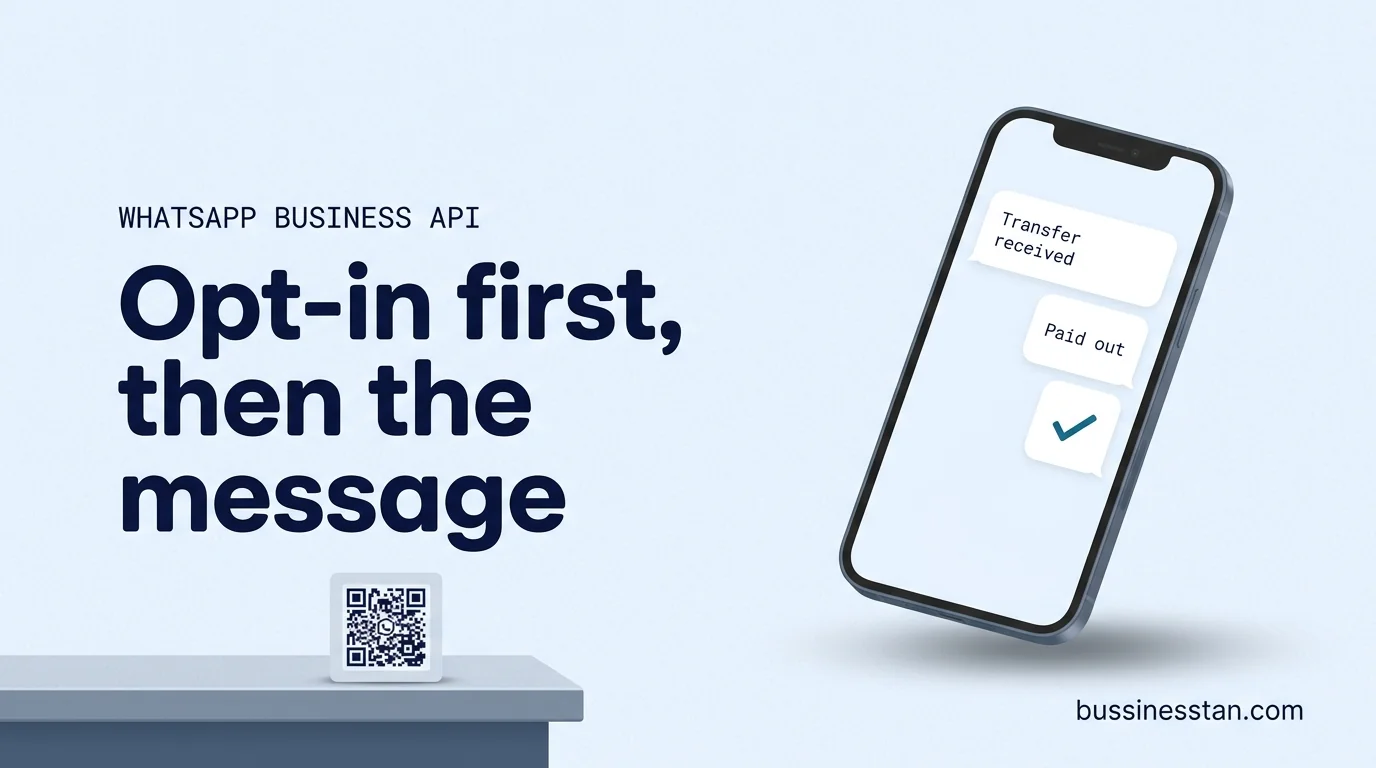
| Agent counter | A printed QR code that opens a chat, with the opt-in wording beside it | Staff explain it; keep a record of the consent |
| Existing chat | The sender messages you first and agrees in the conversation | Record when and what they agreed to |
The agent counter matters more than most digital teams expect. For operators with a branch network, a QR code at the counter turns a walk-in sender into a WhatsApp contact with a clear record of consent.
Offer separate choices where you can: transfer updates on one line, rate alerts and offers on another. Senders who get only what they asked for block less, and Meta limits businesses whose quality stays low.
WhatsApp templates: categories and approval
When a sender messages you, a 24-hour customer service window opens, and you can reply with free-form messages. Outside that window, any message you start must use a template that Meta has approved.
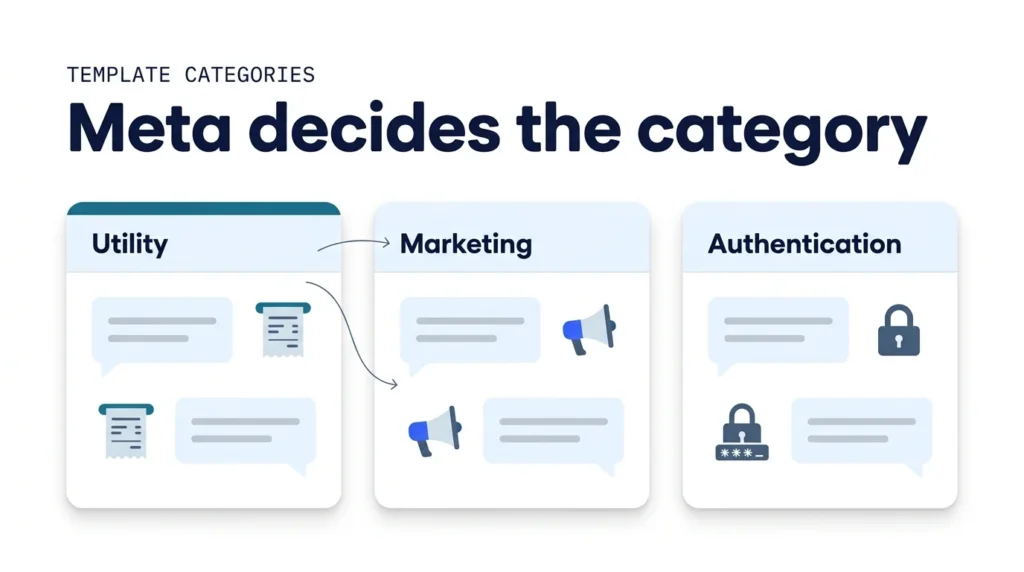
The 3 template categories
| Category | Meta's intent | Remittance examples |
|---|---|---|
| Utility | Non-promotional, tied to the person's own account or transfer, usually triggered by their action | Transfer received, payout completed, document needed to finish a transfer |
| Marketing | Promotional or mixed content, awareness, offers, re-engagement | Seasonal rate offer, "send again", new corridor launch |
| Authentication | One-time passcodes only, with strict content limits | Login or transfer confirmation code |
2 rules shape everything else:
- Meta decides the category. A template submitted as utility can be moved to marketing if its content does not fit the guidelines. A status update with "send again and save" at the end is a marketing message.
- Only approved templates can be sent, and an approved template can later be paused or disabled based on quality signals.
Meta's documentation says template review can take up to 24 hours. In practice, rejections, edits and recategorisation mean nobody can promise the date a flow goes live. We do not, and neither should any partner. Meta approves the templates, not us.
Pricing follows the same split. Since 1 July 2025, Meta charges per delivered template message, with rates set by category and the recipient's country. Utility templates sent inside an open customer service window are free.
6 flows for WhatsApp remittance notifications and support
These 6 flows cover most of what a money transfer operator needs. Build them in this order.
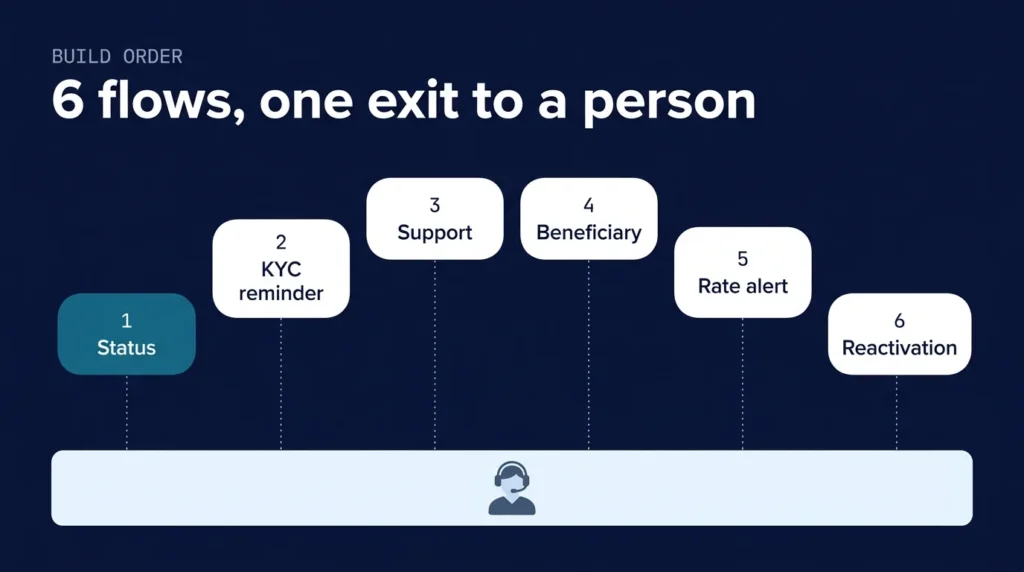
The 6-flow build order
| # | Flow | Trigger | Likely category | What it earns |
|---|---|---|---|---|
| 1 | Transfer status | Status changes in your platform: received, processing, paid out | Utility | Fewer where-is-my-money contacts |
| 2 | KYC reminder | Verification started but a document is missing | Utility if purely about the sender's application | Recovered first transfers |
| 3 | Support | Sender messages you | Free-form inside the window | Faster answers, fewer calls |
| 4 | Beneficiary prompt | Verified sender with no beneficiary saved | Depends on wording; Meta decides | First transfer started |
| 5 | Rate alert | Rate crosses a threshold the sender set | Depends on wording and consent; Meta decides | Repeat send at the right moment |
| 6 | Reactivation | No transfer for a set period | Marketing | Dormant senders back |
Status comes first because it removes support load before it adds anything new. The three questions that fill most remittance inboxes are covered in The three questions that dominate remittance support.
Every status message must come from the system, not from a person or a bot guessing. If the platform says "processing", the message says "processing". The same rule applies to rates: the system quotes the rate; the bot never invents one.
This is the channel our WhatsApp Business API team builds, with the triggers shared with SMS and email automation so a sender does not get the same update 3 times.
Human handoff, and what never goes in a message
A chat with no exit is worse than no chat. Every flow needs a route to a person, and the person needs the history.
When the conversation must reach a person
- Complaints and disputes
- Any question about why a transfer is held or under review
- Refunds and cancellations
- Suspected fraud or account takeover
- The sender asks for a person, in any wording
- The bot is not confident in its answer
A chatbot layer can answer the common questions and hand over the rest, as our omnichannel AI chatbots do. The assistant explains verification. It never decides it.
What never goes in a WhatsApp message
- Full bank account or card numbers
- Passwords, or passcodes outside an authentication template
- A request to send ID documents into an ordinary chat, unless your compliance team has approved that route
- Reasons for a compliance hold beyond wording your compliance team has approved
- Rates or fees typed by hand, or any "guaranteed" or "instant" claim the product cannot support
Licensing and AML questions go to a qualified adviser. We handle advertising and marketing compliance.
Frequently asked questions
Is the WhatsApp Business API for money transfer different from the normal API?
No. It is the same WhatsApp Business Platform. What differs is how it is used: transfer status comes from your platform, KYC reminders need careful wording, rate alerts must pull the live rate, and compliance-sensitive questions go to a person. The setup work is in the integrations and rules, not a special product.
How does WhatsApp opt in work at an agent counter?
A printed QR code opens a chat with your business number, next to clear wording that the sender is opting in to messages from your business, named. The sender confirms in the chat, and you record when and what they agreed to. Staff should explain it in the sender's language. Local consent and privacy rules still apply.
How long does WhatsApp template approval take?
Meta's documentation says review can take up to 24 hours. Rejections, edits and category changes can add time, so treat any launch date as an estimate. Build the templates early, submit them before the integration is finished, and keep a fallback channel such as SMS for status updates.
Can we send WhatsApp remittance notifications without templates?
Only inside a 24-hour window opened by the sender messaging you. Status updates usually happen when the sender has not written recently, so in practice they need approved utility templates. Keep them strictly about the transfer so Meta does not move them into marketing.
Can we send marketing messages on WhatsApp?
Yes, with opt-in that covers them, using marketing templates, which are priced differently from utility. Keep offers separate from status updates, cap frequency, and make opting out easy. Senders who feel spammed block the number, and sustained low quality leads Meta to limit your messaging.
Where to start
The WhatsApp Business API suits money transfer operators because senders already live there. The order matters: permission, then templates, then status, then everything else, with a person always reachable.
Start with the readiness checklist above. Then map which sender states your platform can report reliably, with one event name for every step; that list decides which flows you can build first. If you want the channel measured against first transfers and support load rather than messages sent, Book a Growth Audit.

Written by
Founder & CEO, Bussinesstan
Owns the commercial side of every engagement: fixed-fee scoping, corridor economics, and the reporting that ties spend to completed first transfers rather than to installs.
Meet the team
CRM for money transfer companies: design the data model first
CRM for money transfer companies, built on the data model: one record per sender, 9 lifecycle stages, B2B pipelines, consent rules and a 10-week rollout.
AI customer support for fintech: automating where-is-my-money safely at MTOs
AI customer support for fintech, applied to money transfer: ticket classes, login before status, live rate reads, escalation and what AI must never decide.
UGC for financial services: creator marketing for money transfer brands without compliance risk
UGC for financial services, done safely: diaspora creators, 6 restricted claim areas, disclosure by market and a brief compliance can sign off.